 MacbookCheckr
MacbookCheckr · Hardware and peripheral report
Check your Mac in one minute, for free
Know at a glance whether a Mac has a problem: full specifications, the state of every built-in component, and a report the buyer reads by scanning a QR code.
Free tools, nothing to install
Two checks that run in your browser, before you even download the app.
What MacbookCheckr does
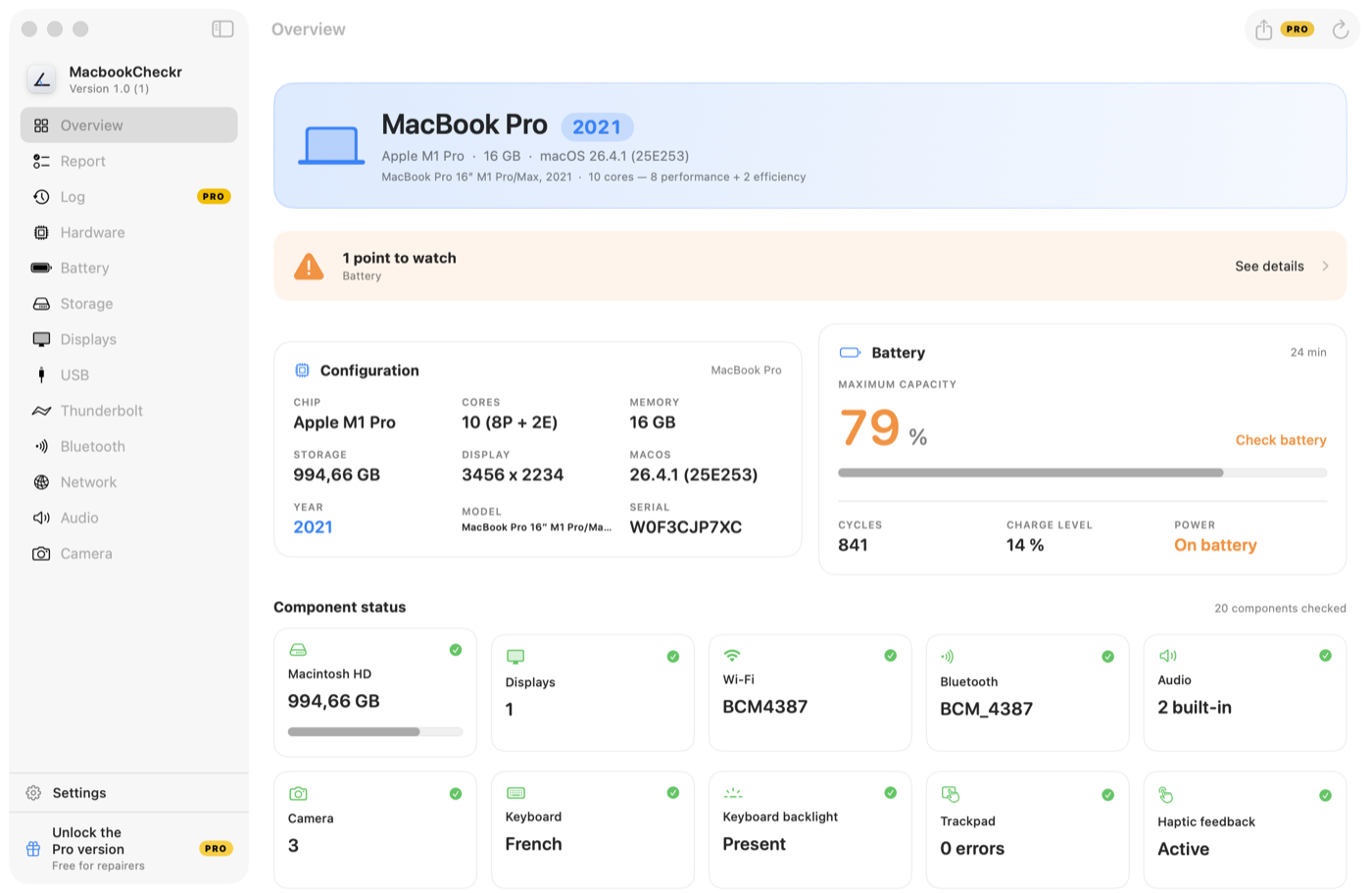
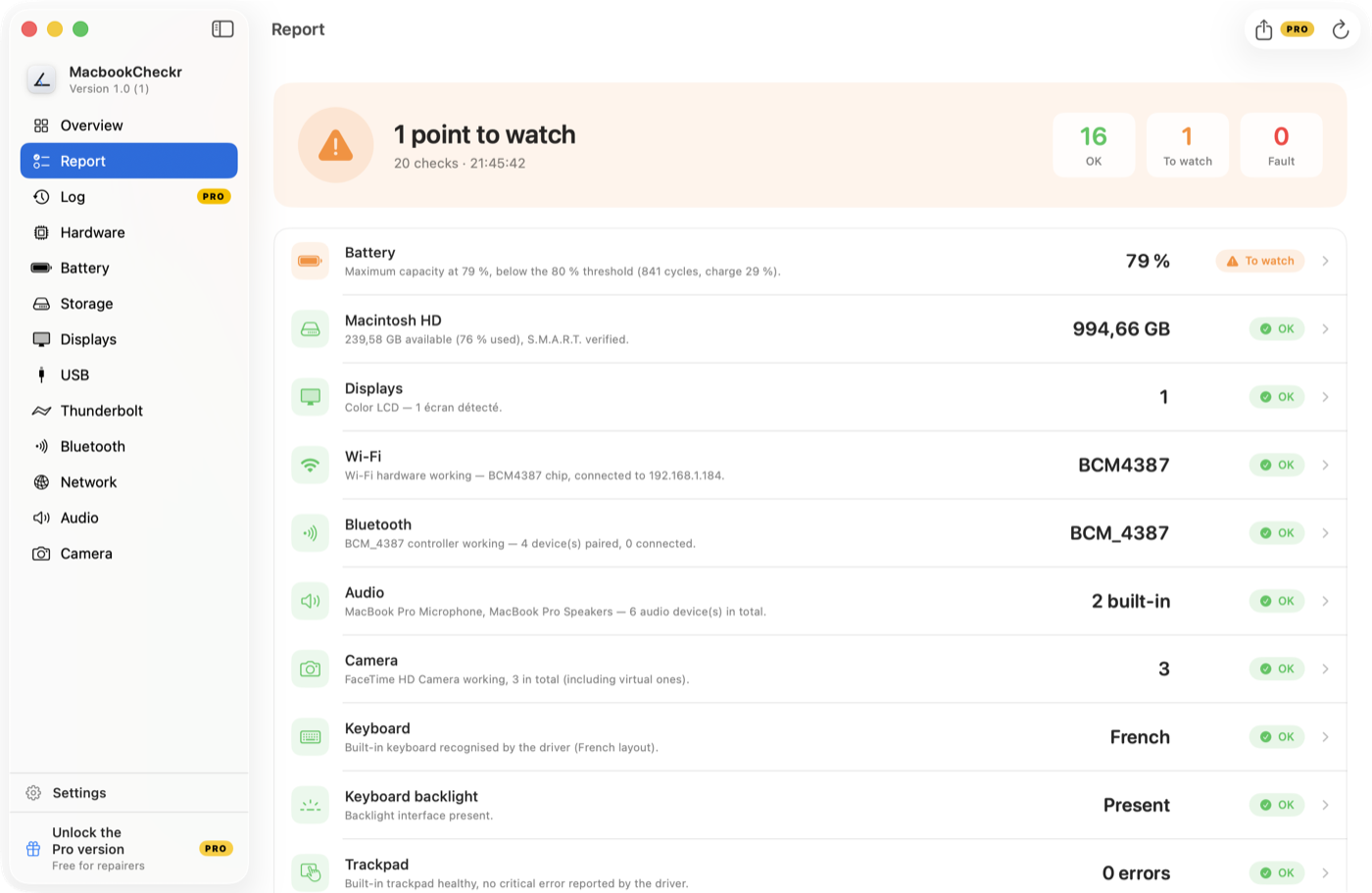
Twenty components checked
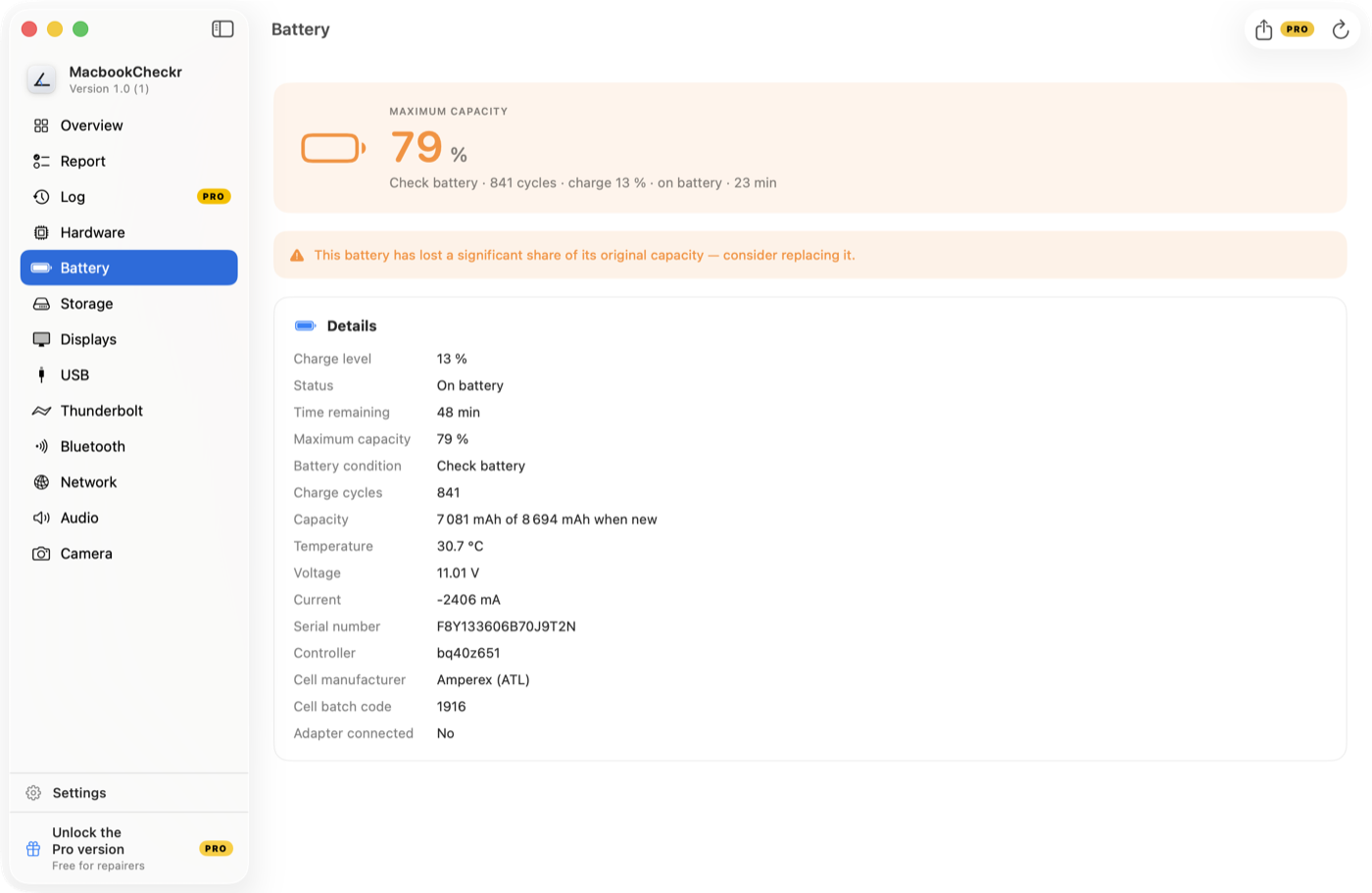
Battery, displays, Wi-Fi, Bluetooth, audio, camera, Touch ID, trackpad… A problem jumps out without reading a thing.
Live measurements
Battery level, CPU load, temperature and lid angle, refreshed continuously.
Clear verdicts
Every check gets a verdict: OK, watch, fault. Only problems light up.
Share by QR code
The report shows up as a QR code on the overview. The buyer scans it and reads it on their phone, nothing to install.
Exportable report
A complete plain-text file, ready to paste into an email or a resale listing.
Offline diagnostics
The twenty checks run on your Mac, with no network. Only sharing the report goes over the Internet, and it switches off in one click.
Seven languages
French, English, German, Spanish, Italian, Dutch and Portuguese — follows the system language.
Three situations where it earns its place
You're buying a used Mac
You're meeting a seller for a €600 MacBook Air. You run the app on the spot: battery at 71% after 890 cycles, one dead USB-C port. You negotiate €120 off — or you walk away.
You're selling yours
You launch the app: the report's QR code appears. You save the card and drop it into your listing. The buyer scans it, reads the state of the battery and the twenty components, and turns up already reassured.
You repair Macs
A customer drops off a machine that “runs hot”. You run a check at intake: the diagnosis is written, dated and carries your shop's letterhead. No more arguing about what was already broken.
The report, on the buyer's phone
At the end of each scan, the app shows a QR code. Scanning is enough: the report opens in the phone's browser, nothing to install.


Scan this code: it is a real report.
- The report stays current: a new scan refreshes the same link.
- A card image carries the rings and the code, ready for a listing.
- You remove the report from the site whenever you want.
The app in pictures
PRO Pro version — free for repairers
Repairing Macs for a living? The Pro version is free: leave your email, the key arrives by mail.
- Report export to hand to your customers
- Your workshop header on every report
- Log of checked machines, exportable to a spreadsheet
Frequently asked questions
Is MacbookCheckr really free?
Yes. The full diagnostic — twenty components, live measurements, report — is free, with no account and no ads. The Pro version, which adds report export and your workshop header, is also free for repairers: an email address is all it takes.
Which Macs are supported?
Any Mac running macOS 13 (Ventura) or later, Apple Silicon and Intel alike — the binary is universal. MacBook, iMac, Mac mini, Mac Studio and Mac Pro are all covered.
Does my data leave the machine?
The diagnostics run entirely on your Mac: the twenty checks need no network. QR code sharing does publish the report on macbookcheckr.com so a phone can read it — model, configuration, component status and, unless you clear the checkbox, the serial number. The card menu turns that publishing off or removes a report already online, at any time. The app also reports that it opened, and any crashes, under an identifier drawn at random that is linked neither to you nor to your hardware. It is all spelled out on the Privacy page.
How do I check a used Mac before buying?
Install MacbookCheckr on the machine and open the Report: every component gets a verdict (OK, watch, fault). Battery, displays, keyboard, trackpad, Touch ID, camera, ports — a problem shows up within seconds.
How does the buyer see the report without installing the app?
They scan the QR code shown by the app, or the one you dropped into your listing. Their phone opens a page on macbookcheckr.com with the full report: the three rings, the points found and the detail of the twenty checks. Nothing to install, no account. A real example is scannable further up this page.